
Inventories
Objets Expirés
Configuration de l'inventaire des objets expirés
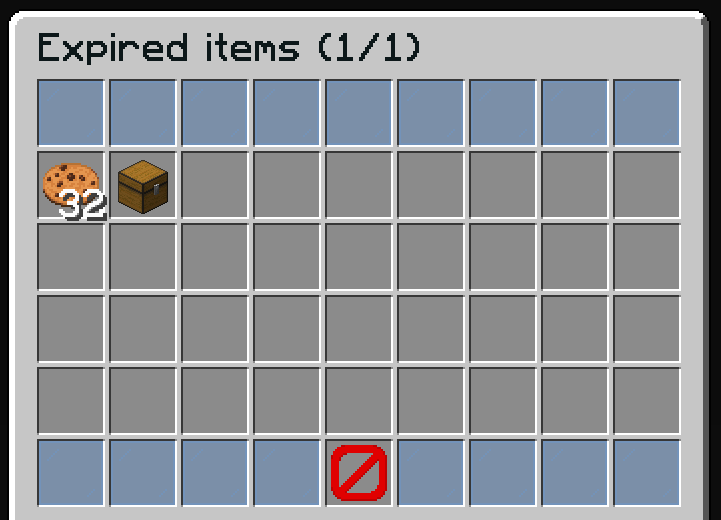
L'inventaire des objets expirés affiche les objets dont la durée de vente a expiré sans avoir été vendus. Les joueurs peuvent récupérer ces objets dans leur inventaire.
Fichier : plugins/zAuctionHouse/inventories/expired-items.yml
Accès : /ah expired ou cliquez sur le bouton "Objets Expirés" dans les enchères principales
Cycle de Vie des Objets
- Les objets mis en vente ont un temps d'expiration (configuré dans
config.yml) - Lorsque le temps expire, les objets sont déplacés vers l'inventaire des objets expirés
- Les joueurs peuvent récupérer les objets expirés en cliquant dessus
- Les objets expirés ont une seconde expiration (par défaut : 1 semaine) avant suppression définitive
Configuration par Défaut
name: '#0c1719Expired items (%page%/%max-page%)'
size: 54

patterns:
  - 'zauctionhouse-decoration'
  - 'zauctionhouse-pagination'
  - 'zauctionhouse-back'

items:

  items:
    type: ZAUCTIONHOUSE_EXPIRED_ITEMS
    empty-slot: 22
    slots:
      - 9-17
      - 18-26
      - 27-35
      - 36-44
    item:
      material: BARRIER
      name: '#ff0000&nNo items found'

  remove-all:
    type: ZAUCTIONHOUSE_REMOVE_ALL_EXPIRED
    is-permanent: true
    slot: 47
    item:
      material: CHEST
      name: "#2CCED2<bold>Tout Récupérer"
      lore:
        - "#92ffffRécupérer tous les objets expirés."
        - ""
        - "#8c8c8c• #2CCED2Cliquez #92ffffpour tout récupérer"
Boutons Utilisés
| Bouton | Type | Description |
|---|---|---|
items | ZAUCTIONHOUSE_EXPIRED_ITEMS | Affiche les objets expirés |
remove-all | ZAUCTIONHOUSE_REMOVE_ALL_EXPIRED | Récupère tous les objets expirés d'un coup |
Patterns Utilisés
| Pattern | Description |
|---|---|
zauctionhouse-decoration | Bordures en vitres colorées |
zauctionhouse-pagination | Boutons page précédente/suivante |
zauctionhouse-back | Bouton retour |
Placeholders
| Placeholder | Description |
|---|---|
%page% | Numéro de la page actuelle |
%max-page% | Nombre total de pages |
Actions au Clic
Lorsqu'un joueur clique sur un objet expiré :
- L'objet est renvoyé dans l'inventaire du joueur
- Si l'inventaire du joueur est plein, l'objet reste dans les objets expirés