
Inventories
Expired Items
Expired items inventory configuration
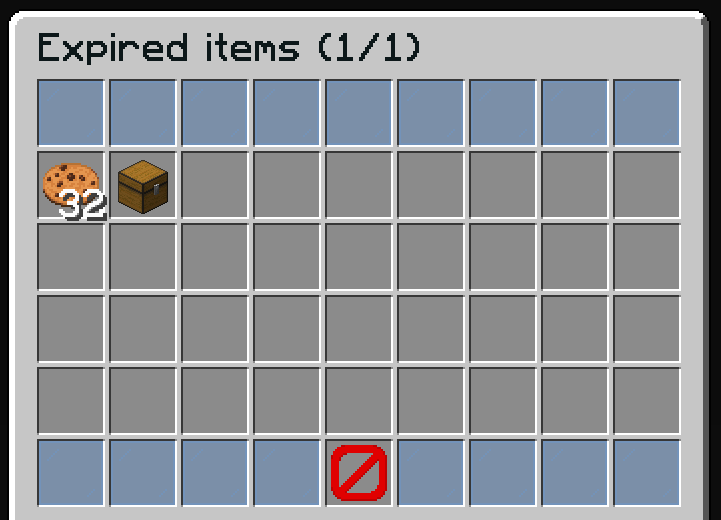
The expired items inventory displays items that have expired without being sold. Players can retrieve these items back to their inventory.
File: plugins/zAuctionHouse/inventories/expired-items.yml
Access: /ah expired or click the "Expired Items" button in the main auction
Item Lifecycle
- Items listed for sale have an expiration time (configured in
config.yml) - When the time expires, items move to the expired items inventory
- Players can retrieve expired items by clicking on them
- Expired items have a second expiration (default: 1 week) before permanent deletion
Default Configuration
name: '#0c1719Expired items (%page%/%max-page%)'
size: 54

patterns:
  - 'zauctionhouse-decoration'
  - 'zauctionhouse-pagination'
  - 'zauctionhouse-back'

items:

  items:
    type: ZAUCTIONHOUSE_EXPIRED_ITEMS
    empty-slot: 22
    slots:
      - 9-17
      - 18-26
      - 27-35
      - 36-44
    item:
      material: BARRIER
      name: '#ff0000&nNo items found'

  remove-all:
    type: ZAUCTIONHOUSE_REMOVE_ALL_EXPIRED
    is-permanent: true
    slot: 47
    item:
      material: CHEST
      name: "#2CCED2<bold>Retrieve All"
      lore:
        - "#92ffffRetrieve all expired items."
        - ""
        - "#8c8c8c• #2CCED2Click #92ffffto retrieve all"
Buttons Used
| Button | Type | Description |
|---|---|---|
items | ZAUCTIONHOUSE_EXPIRED_ITEMS | Displays expired items |
remove-all | ZAUCTIONHOUSE_REMOVE_ALL_EXPIRED | Retrieves all expired items at once |
Patterns Used
| Pattern | Description |
|---|---|
zauctionhouse-decoration | Glass pane borders |
zauctionhouse-pagination | Previous/Next page buttons |
zauctionhouse-back | Back button to return |
Placeholders
| Placeholder | Description |
|---|---|
%page% | Current page number |
%max-page% | Total number of pages |
Click Actions
When a player clicks an expired item:
- The item is returned to the player's inventory
- If the player's inventory is full, the item remains in expired items