
Inventories
Container Content
Container content preview inventory configuration
The container content inventory displays the contents of container items being sold, allowing buyers to preview what's inside before purchasing. This works with vanilla shulker boxes and plugin-managed containers (AxShulkers, etc.).
File: plugins/zAuctionHouse/inventories/shulker-content.yml
Access: Click "View Content" button in purchase/remove confirmation
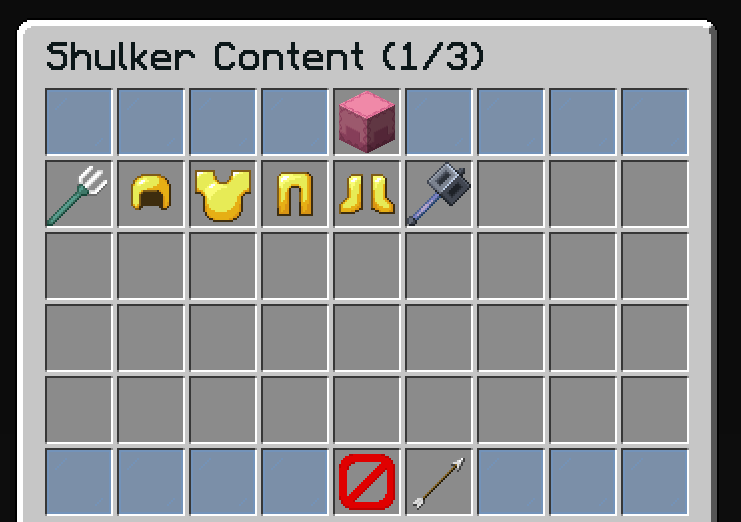
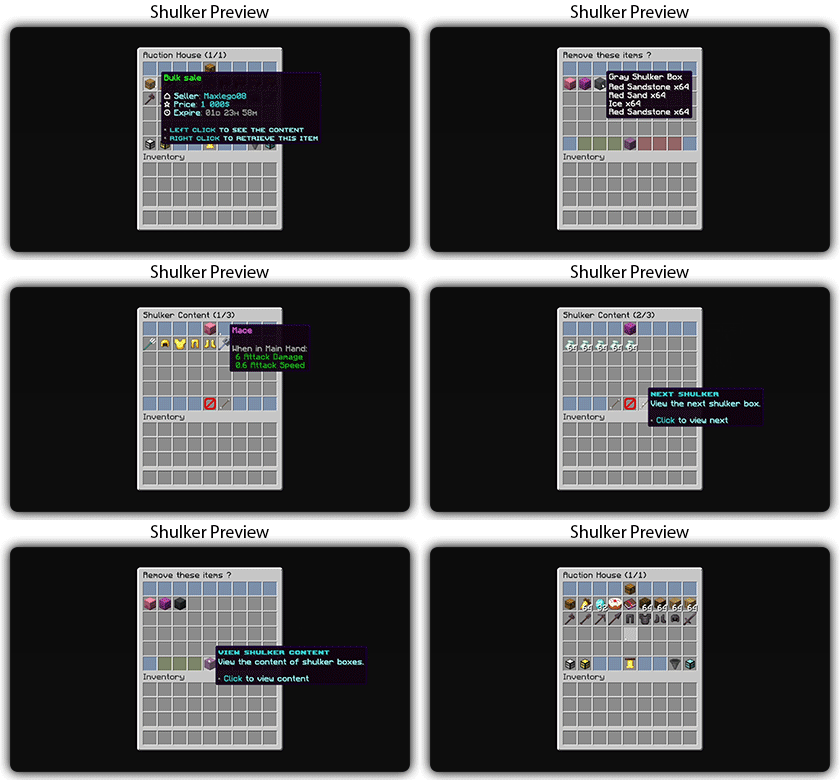
Supported Container Types
| Container | Plugin Required | Description |
|---|---|---|
| Vanilla shulker boxes | None | Built-in Minecraft shulker boxes |
| AxShulkers | AxShulkers | Shulker boxes with externally stored contents |
Additional container types can be added by external plugins via the ItemContentProvider API.
Features
- Preview all items inside container items (shulker boxes, AxShulkers, etc.)
- Navigate between multiple containers (bulk sales)
- View-only mode - items cannot be taken
Default Configuration
name: "#0c1719Shulker Content (%shulker-current%/%shulker-total%)"
size: 54

patterns:
  - 'zauctionhouse-decoration'
  - 'zauctionhouse-back'

items:

  content:
    type: ZAUCTIONHOUSE_SHULKER_CONTENT
    slots:
      - 9-17
      - 18-26
      - 27-35
      - 36-44

  shulker-info:
    type: ZAUCTIONHOUSE_SHULKER_INFO
    slot: 4
    item:
      material: SHULKER_BOX
      name: "#2CCED2<bold>sʜᴜʟᴋᴇʀ ʙᴏx"
      lore:
        - "#92ffffViewing shulker #2CCED2%shulker_current% #92ffffof #2CCED2%shulker_total%"
        - ""
        - "#8c8c8c• Use navigation buttons to switch"

  previous:
    type: ZAUCTIONHOUSE_SHULKER_NAVIGATION
    direction: previous
    slot: 48
    item:
      material: ARROW
      name: "#2CCED2<bold>ᴘʀᴇᴠɪᴏᴜs sʜᴜʟᴋᴇʀ"
      lore:
        - "#92ffffView the previous shulker box."
        - ""
        - "#8c8c8c• #2CCED2Click #92ffffto view previous"

  next:
    type: ZAUCTIONHOUSE_SHULKER_NAVIGATION
    direction: next
    slot: 50
    item:
      material: ARROW
      name: "#2CCED2<bold>ɴᴇxᴛ sʜᴜʟᴋᴇʀ"
      lore:
        - "#92ffffView the next shulker box."
        - ""
        - "#8c8c8c• #2CCED2Click #92ffffto view next"
Buttons Used
| Button | Type | Description |
|---|---|---|
content | ZAUCTIONHOUSE_SHULKER_CONTENT | Displays container contents |
shulker-info | ZAUCTIONHOUSE_SHULKER_INFO | Shows container information |
previous | ZAUCTIONHOUSE_SHULKER_NAVIGATION | Previous container |
next | ZAUCTIONHOUSE_SHULKER_NAVIGATION | Next container |
Patterns Used
| Pattern | Description |
|---|---|
zauctionhouse-decoration | Glass pane borders |
zauctionhouse-back | Back button to return |
Placeholders
| Placeholder | Description |
|---|---|
%shulker-current% | Currently viewing shulker number (1-based) |
%shulker-total% | Total number of shulkers in the sale |
%shulker_current% | Same as above (alternative format) |
%shulker_total% | Same as above (alternative format) |
Multiple Containers
When a bulk sale contains multiple container items, players can navigate between them using the previous/next buttons.
The navigation buttons are only active when there are multiple containers:
- Previous: Disabled on first container
- Next: Disabled on last container