
InventoriesAdmin
Admin Expired Items
Admin expired items inventory configuration
The admin expired items inventory allows admins to view and manage a player's expired items.
File: plugins/zAuctionHouse/inventories/admin/admin-expired-items.yml
Access:
- From admin history main menu → Expired Items button
/ah admin open expired <player>
Permission: Requires admin permission
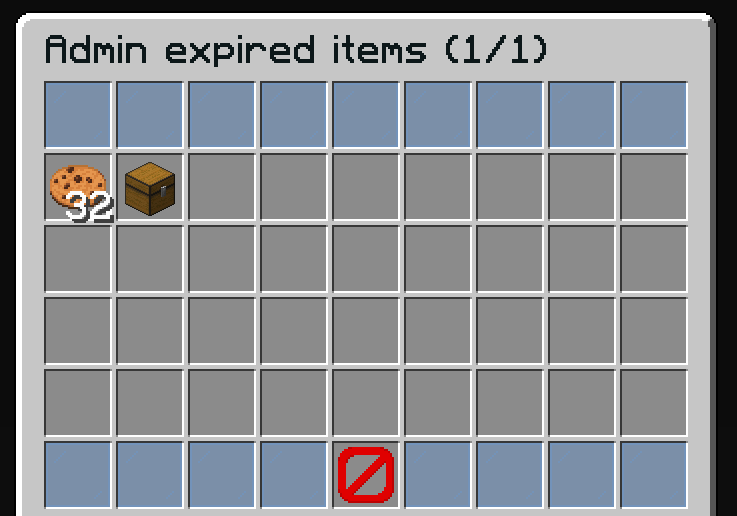
Admin Actions
- View all expired items for the target player
- Retrieve items to give back to the player
- Useful for recovering items after player complaints
Default Configuration
name: '#0c1719Admin expired items (%page%/%max-page%)'
size: 54

patterns:
  - 'zauctionhouse-decoration'
  - 'zauctionhouse-pagination'
  - 'zauctionhouse-back'

items:

  items:
    type: ZAUCTIONHOUSE_ADMIN_EXPIRED_ITEMS
    slots:
      - 9-17
      - 18-26
      - 27-35
      - 36-44
    else:
      slots:
        - 22
      item:
        material: BARRIER
        name: '#ff0000&nNo Items Found'
Buttons Used
| Button | Type | Description |
|---|---|---|
items | ZAUCTIONHOUSE_ADMIN_EXPIRED_ITEMS | Displays expired items with admin retrieval |
Patterns Used
| Pattern | Description |
|---|---|
zauctionhouse-decoration | Glass pane borders |
zauctionhouse-pagination | Previous/Next page buttons |
zauctionhouse-back | Back button to admin history |
Click Actions
When an admin clicks an item:
- The item is retrieved and given to the admin
- The admin can then give it to the player manually
Placeholders
| Placeholder | Description |
|---|---|
%page% | Current page number |
%max-page% | Total number of pages |